
The iOS 26.4 update caused one unlucky user to lose access to their iPhone.
Locked Out: How One User Lost Access After the iOS 26.4 Update

- One unfortunate iPhone user has been locked out after updating to iOS 26.4.
- The problem appears to be linked to a specific character found on the Czech
- Keyboard At this point, no effective workaround has been discovered.
Apple’s latest iOS 26.4 update introduced several useful improvements for iPhone users, such as new emojis and enhanced security features. However, it has also caused an unexpected issue that left one user unable to access their device.
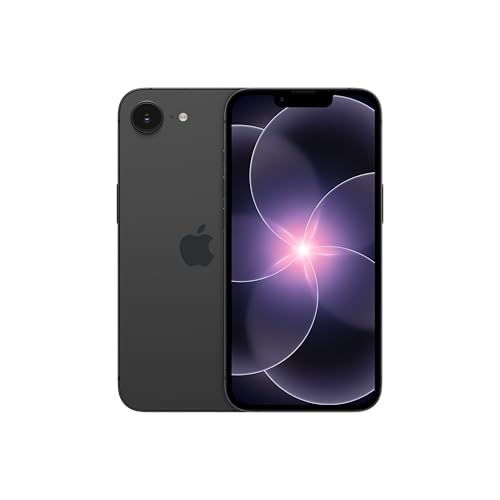
According to reports, a U.S. college student named Connor Byrne has been locked out of his iPhone since installing the update last month. The problem stems from the fact that the update removed access to a unique character he had been using in his passcode.
The character involved is the Czech caron, also known as háček (ˇ). In earlier versions like iOS 18, it was available on the keyboard’s bottom row. But in iOS 26.4, that symbol has been replaced with a different one, making it impossible for Byrne to enter his original passcode.
You may like
iOS 26.4 Fixes iPhone Autocorrect Issues — But One Annoying Problem Still Remains.

iOS 26.4 Guide: 5 Must-Try Features That Improve Your iPhone Today.

Interestingly, while the character remains accessible on the standard iOS keyboard, it does not appear on the lock screen keyboard. Byrne noted that he selected an alphanumeric passcode rather than a numeric PIN for enhanced security

Several solutions have been suggested, but none have successfully helped Byrne regain access to his iPhone 13. Attempts such as writing down the passcode and scanning it, or using an external keyboard, have either failed or are not possible after the device restarts.
Byrne also mentioned that he does not fully trust Face ID from a security standpoint. Additionally, even when Face ID is enabled, a passcode is still required following a software update. He even sought help from the Genius Bar at an Apple Store, but staff there were unable to resolve the issue.
Complicating matters further, the iPhone was not backed up to iCloud, making it impossible to restore data and settings on another device. This situation highlights the critical importance of regularly backing up your phone as a safeguard against unexpected problems like this.



Michael Olisa
Michael Olisa is an independent technology researcher focused on VPNs, cybersecurity tools, and digital privacy. He has tested over 20 VPN services and regularly covers privacy tool comparisons, security testing methodology, and Windows networking for readers in the US and EU. All screenshots in this article are from his own testing environment.


